# Incidents CMS
## Description
The Incident Management System was designed to complement the BCC App Chat Admin CMS, providing a centralized platform for managing and tracking incidents reported by chat members. The system was initially developed to allow chat admins to create tickets from member chats, describing incidents that required attention. Subsequently, the system was enhanced to enable CMS operators to log incident reports directly into the system, without the need for tickets from the chat admin.
## Functions
### Data Entry for Incidents
* The operator can log an incident, whether with a supporting chat ticket from the member's app or not. Additional event details can be included, such as cost of damages, injured persons, response made, etc. Pictures and files can be attached as well.
* The system allows for easy searching and filtering of incidents, enabling the operator to quickly locate specific incidents and view their details and status.
### Data Entry for Feedback
* Commendations, suggestions, and complaints can be logged here, whether with a supporting chat ticket or not. Associated employees can be notified as well, as part of the planned Employees App.
### Timeline View
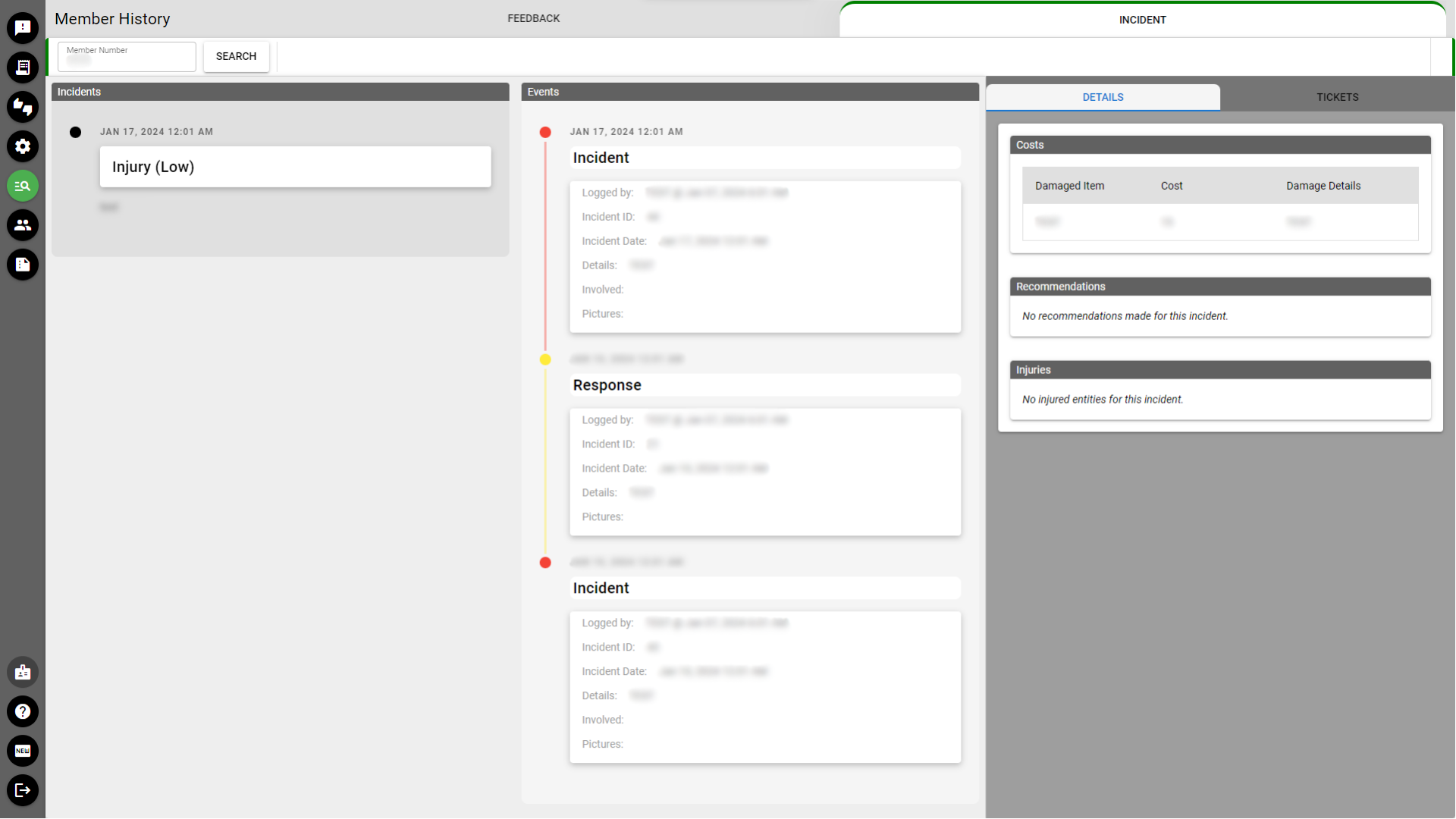
* A timeline of events per incident can also be viewed, to show a visual chronological progression of events. A higher level timeline, that which includes every incident that a member was associated with, is also possible.
* The operator can filter the timeline by type of event, date range, or other criteria to quickly locate specific information.
### Data Graphs
* A graph of the quantitative summary of events according to certain slices-of-time can be viewed. Breakdowns of total numbers per category can also be seen, enabling the operator to quickly identify trends and patterns.
### Help System
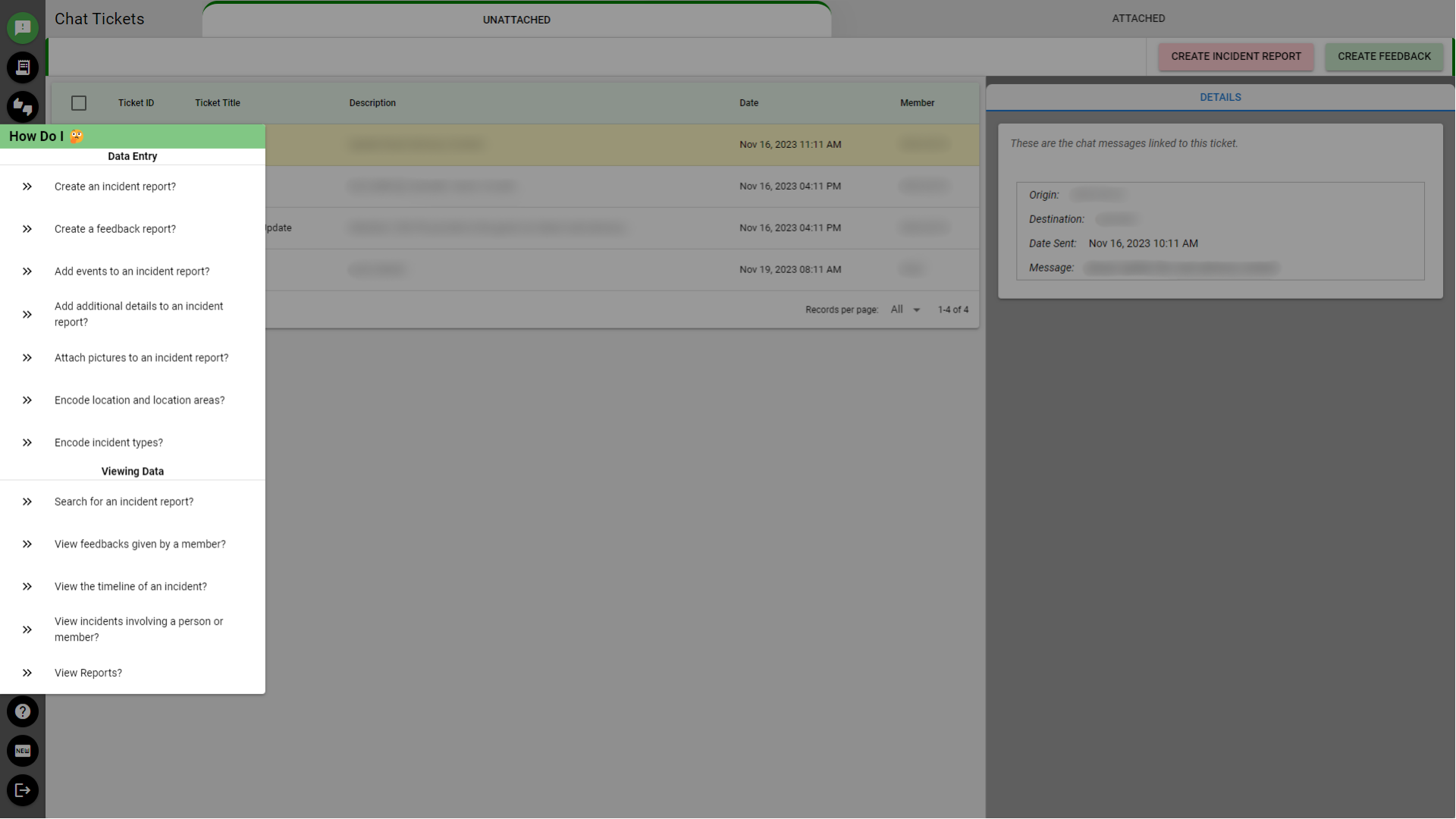
* A step-by-step guide that walks the user through a certain process (*see screenshot for example*).
* The help system includes a page to view application change logs, as well as a form for suggestions.
### Security
Each account is assigned specific roles and user permissions that dictate their access to various pages and the actions they are permitted to perform within the system. This ensures a secure and organized management of functionalities based on user responsibilities.
## Work Done
### Interviews
* Conducted manager interviews to gather requirements and ensure system met business needs.
* Presented the design and system functionalities to managers to gather additional feedback.
### Development
* Designed database schema and created entity-relationship chart to ensure efficient data storage and relationships.
* Developed backend code and tested it thoroughly to ensure functionality, reliability, and performance.
* Created frontend code and tested it thoroughly to ensure user-friendly interface and seamless integration with backend.
* Produced comprehensive API documentation to facilitate future development and integration.
### Deployment
* Configured settings for DNS, hosting, and primary server, and deployed a production environment of the system.
### Support
* Provided training and support to operators to ensure successful adoption and usage of the system.
### Maintenance
* Addressed bugs and rolled out updates and feature requests to enhance functionality and performance.
## Tech Stack
       
* **Apexcharts** - chart display
* **Lottie** - animations
* **Pinia** - data management
* **Axios** - API communication
* **driverJS** - help system
## Screenshots